









CMS Migrations Don’t Fail at Launch. They Fail in Production.

It works on day one. The cracks show when teams actually rely on it. That’s when performance, clarity, and velocity start to drift.

Assumptions

Reality

If we migrate the site, everything else follows
CMS structure changes faster than CRM attribution & governance models
Preserving URL’s and templates protects SEO
Signal integrity depends on event models lifecycle logic, and content structure
HubSpot CMS will make updates easier
Without modular systems and ownership rules, velocity slows
Launch is the milestone
The first QBR exposes whether the migration actually worked.
OneMetric is changing this - by accounting for CMS structure, signal integrity, and post-launch behavior.

Built for Global Telecom

A controlled migration that preserves SEO equity, signal integrity, and how fast teams can move after launch.

Hubspot CMS Migration - Done Right!

01
Baseline the existing CMS architecture

Templates, content models, URL patterns, rendering logic

02
Map critical system dependencies

SEO signals, tracking events, lifecycle logic, governance rules

03
Model post-migration failure modes

Ranking drift, signal loss, velocity constraints

04
Lock migration scope and constraints

Timelines, ownership boundaries, change control

The OneMetric Migration System

Built to protect performance and ensure day-one stability.

Migration Risk Review

We review SEO, CMS complexity, CRM connections, and GTM touchpoints to reduce risk during migration.

Native HubSpot Build

Pages, blogs, assets, forms, and tracking rebuilt directly inside HubSpot CMS — clean and structured.

Quality Checks

Redirects, metadata, performance, and CRM data flows tested to ensure everything works as expected.

Stability Monitoring

Traffic, conversions, and CMS usage monitored to maintain consistent performance.

Structured CMS Foundation

Reusable modules, global components, & templates built for consistency and easy control.

Business-Ready Website

A HubSpot CMS that supports marketing, sales, and growth from day one.

Migrate from Any CMS to HubSpot

Platform-specific migrations, engineered - not just automated.

WordPress → HubSpot

WordPress → HubSpot

Replace plugin sprawl and developer bottlenecks with a structured, CRM-connected growth system built for scale.

Zoho → HubSpot

Zoho → HubSpot

Move from siloed tools to a unified revenue engine with cleaner automation, smarter reporting, and full funnel visibility.

Contentful → HubSpot

Contentful → HubSpot

Unify headless content infrastructure with CRM, automation, and attribution inside a connected HubSpot CMS environment.

Webflow → HubSpot

Webflow → HubSpot

Keep the design sophistication, layer in automation, attribution, and CRM-native intelligence that actually drives pipeline.

Squarespace → HubSpot

Squarespace → HubSpot

Upgrade from simple site management to scalable infrastructure built for performance, personalization, and long-term growth.

Wix → HubSpot

Wix → HubSpot

Evolve from drag-and-drop pages to a scalable, governed CMS built for structured content, automation, and real pipeline impact.

  • 1
  • 2

Migration Is Temporary What You Build Has to Last

Anyone can migrate a site. Very few think about what breaks six months later. OneMetric works where:
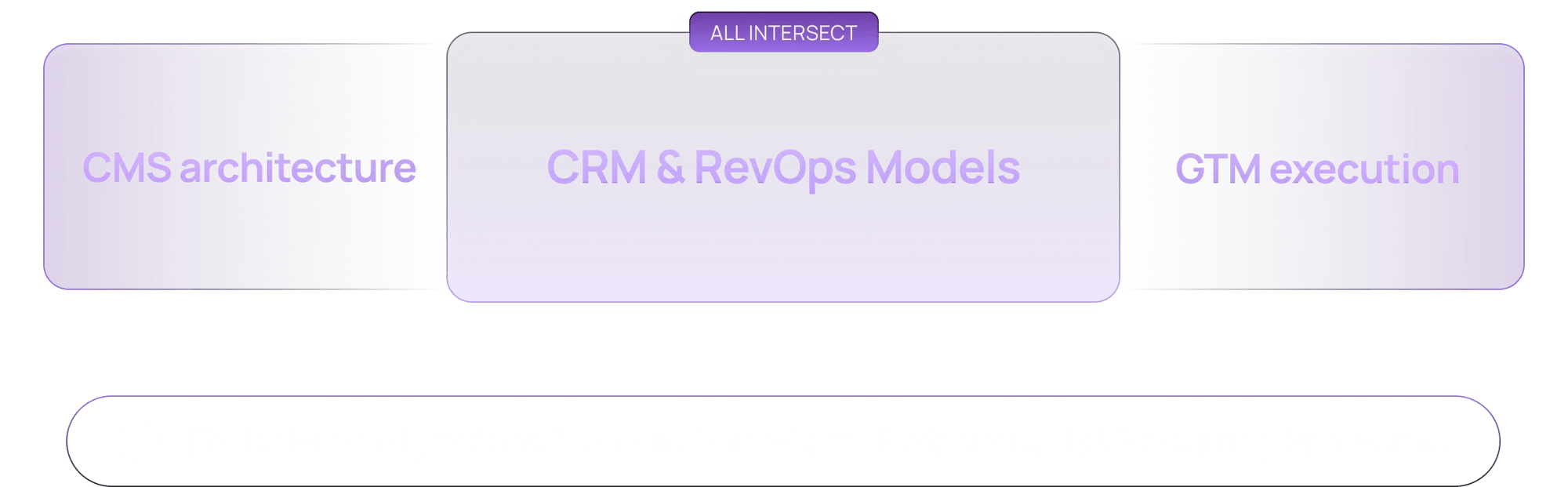
Migration CRM

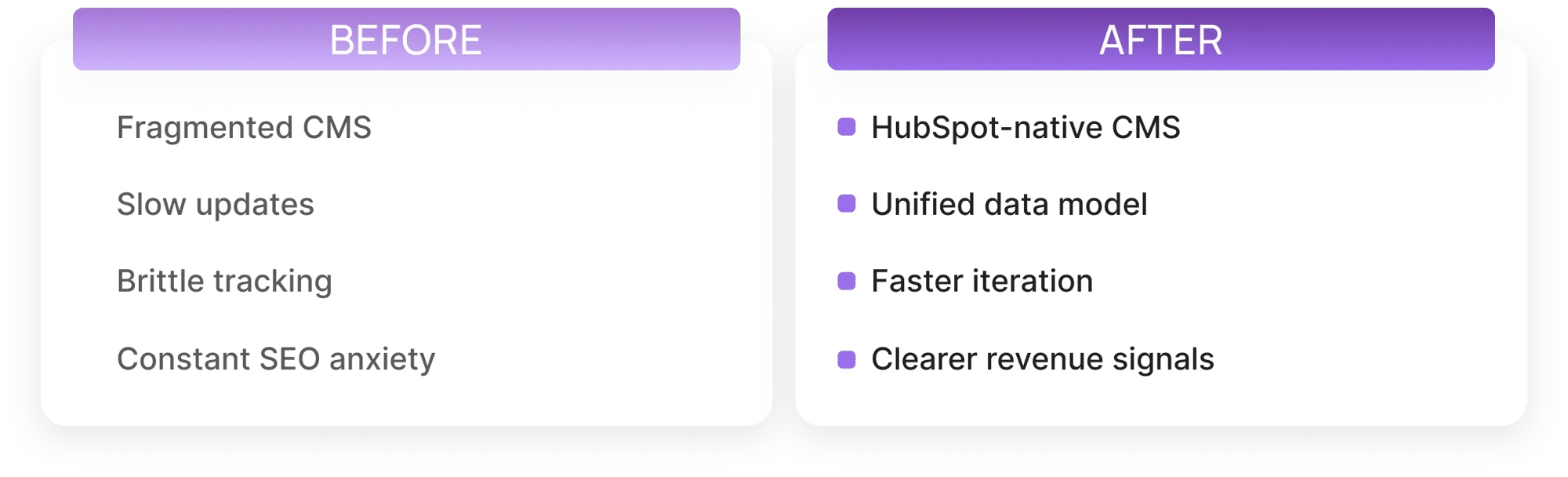
What Changes After the Move

Changes After the Move

Frequently Asked Questions

Still have questions about OneMetric? Write to us at wecare@onemetric.in

The cost to migrate a website to HubSpot CMS depends on the number of pages, template complexity, blog volume, CRM integrations, and whether a custom theme is required. Simple brochure-style sites cost less, while B2B websites with gated content, automation workflows, and advanced tracking require deeper redevelopment.

 A HubSpot CMS migration usually takes between 3 and 12 weeks depending on site size and structural complexity. Smaller websites can be rebuilt quickly, while larger B2B sites with extensive blog archives, multilingual content, or integration dependencies require phased development, quality assurance, and stability validation. 

No, SEO rankings can be preserved during HubSpot CMS migration if 301 redirects, structured URLs, metadata transfer, internal linking, and technical SEO elements are implemented correctly. A properly executed migration often improves performance by removing technical debt and strengthening content architecture.

A complete HubSpot CMS migration includes rebuilding pages, blogs, templates, assets, forms, tracking events, and CRM integrations inside HubSpot. It also involves redirect mapping, metadata preservation, structured template development, quality assurance testing, and post-launch monitoring to ensure SEO and signal integrity remain intact.

Signal integrity refers to preserving tracking accuracy and CRM visibility after migration. This includes ensuring forms fire correctly, events map to CRM properties, lifecycle stages update properly, and attribution tracking continues without disruption.

Yes, websites from WordPress, Webflow, Shopify, Wix, Squarespace, and other platforms can be migrated to HubSpot CMS. Instead of copying layouts, the process involves rebuilding structured templates and reusable modules inside HubSpot to create a scalable, marketer-friendly system.

Yes, blog posts, categories, tags, and media assets can be migrated to HubSpot CMS. Content is rebuilt using structured templates that improve SEO hierarchy, loading performance, and long-term scalability.

Yes, forms are rebuilt using native HubSpot forms, and CRM integrations are mapped and validated during migration. Tracking events, automation workflows, and scoring models are tested during quality assurance to prevent loss of revenue visibility after launch.

 Yes, many businesses use HubSpot CMS migration as an opportunity to modernize their design system. Rather than replicating legacy layouts, the process involves building governed templates and reusable modules that allow faster iteration, improved user experience, and stronger conversion tracking. 


Yes, HubSpot CMS migration can be executed with minimal downtime. The new website is built and tested in a staging environment before DNS cutover, ensuring uninterrupted traffic, lead capture, and CRM tracking during the transition.


 Common risks include improper redirect mapping, metadata loss, broken tracking events, CRM misalignment, and inconsistent template structure. These risks are mitigated through structured audits, staged builds, quality assurance validation, and post-launch monitoring to ensure long-term stability. 

The website you need tomorrow deserves better foundations today

Relatable? We should definitely talk.

All that we’ll cover when we speak:

  • How to measure and multiply the ROI of your HubSpot investment
  • How can you integrate systems to eliminate data silos and make HubSpot the Single source of truth for your GTM teams
  • Your current GTM motions and future roadmap
  • Challenges that you face with your HubSpot
  • What would "wins" look like for you
Book your Meeting