- Share
-

-

Why Does Lead Routing Matter in HubSpot?
Lead routing sits at the intersection of marketing operations, sales operations, CRM data, and rep capacity. A lead can be perfectly captured by a form and still lose value if the CRM sends it to the wrong person or leaves it waiting for manual intervention.
A strong routing process answers four questions quickly:
1. Is this record actually ready for sales?
2. Which team or rep should own it?
3. What information should determine that assignment?
4. What should happen when the required information is missing?
The answers should be consistent across forms, imports, integrations, workflows, and manual updates. Otherwise, different entry points can create different outcomes for the same type of lead.
For example, a company may want enterprise leads routed by employee count, mid-market leads by territory, and partner-sourced leads to a specialist team. If those rules are implemented in separate workflows without a common hierarchy, one workflow can overwrite another or create conflicting ownership.
9 HubSpot Lead Routing Problems That Cause Missed Opportunities
1. Routing depends on incomplete data
If territory, company size, industry, lifecycle stage, or lead source is missing, HubSpot cannot reliably apply a rule that depends on it. The workflow may skip the record, assign a fallback owner, or route it based on an incomplete condition.
Build routing around required inputs and define what happens when those inputs are unavailable.
2. Multiple workflows can assign the same record
One workflow may assign by territory while another assigns by industry. If both can enroll the same record, the final owner may depend on timing rather than business logic.
Create a clear routing hierarchy and document which workflow has authority over ownership.
3. Round-robin logic ignores rep availability
Round-robin assignment can distribute records evenly while still creating a poor sales experience. A rep who is unavailable, at capacity, or outside the relevant market may receive a lead simply because they are next in the rotation.
Define eligibility before distribution. Capacity, territory, role, product specialization, and working hours can all be part of the rule set.
4. Existing ownership is overwritten
Not every lead should be reassigned. A workflow that runs whenever a property changes can unintentionally overwrite an existing owner.
Add explicit conditions such as “owner is unknown” or define the situations where reassignment is allowed.
5. Lifecycle stage and lead status are treated as the same thing
Lifecycle stage answers where a record sits in the broader customer journey. Lead status is often used for sales activity and disposition. Mixing these concepts can trigger routing at the wrong point.
Define the business meaning of each field before using it as an automation condition.
6. Imported leads bypass routing
Teams often test routing through website forms but forget about CSV imports, integrations, event registrations, partner lists, or manually created records.
Every lead-entry source should be reviewed. Decide whether routing should happen immediately, after enrichment, or through a controlled batch process.
7. No fallback route exists
What happens when a lead has no country, no industry, no company size, or an unknown domain?
Without a fallback, the record may sit unassigned. A fallback queue or operations owner can prevent silent failures while giving the team a way to correct the underlying data.
8. Routing rules are not documented
If only one RevOps administrator understands why a workflow assigns records in a particular order, the system becomes difficult to maintain.
Document the routing hierarchy, required fields, exclusions, exceptions, ownership rules, and escalation process.
9. The team never tests edge cases
A routing workflow can work perfectly for normal records and fail for the records that matter most.
Test examples such as international companies, existing customers, subsidiaries, free email domains, missing firmographic data, partner leads, duplicate contacts, and leads that match more than one segment.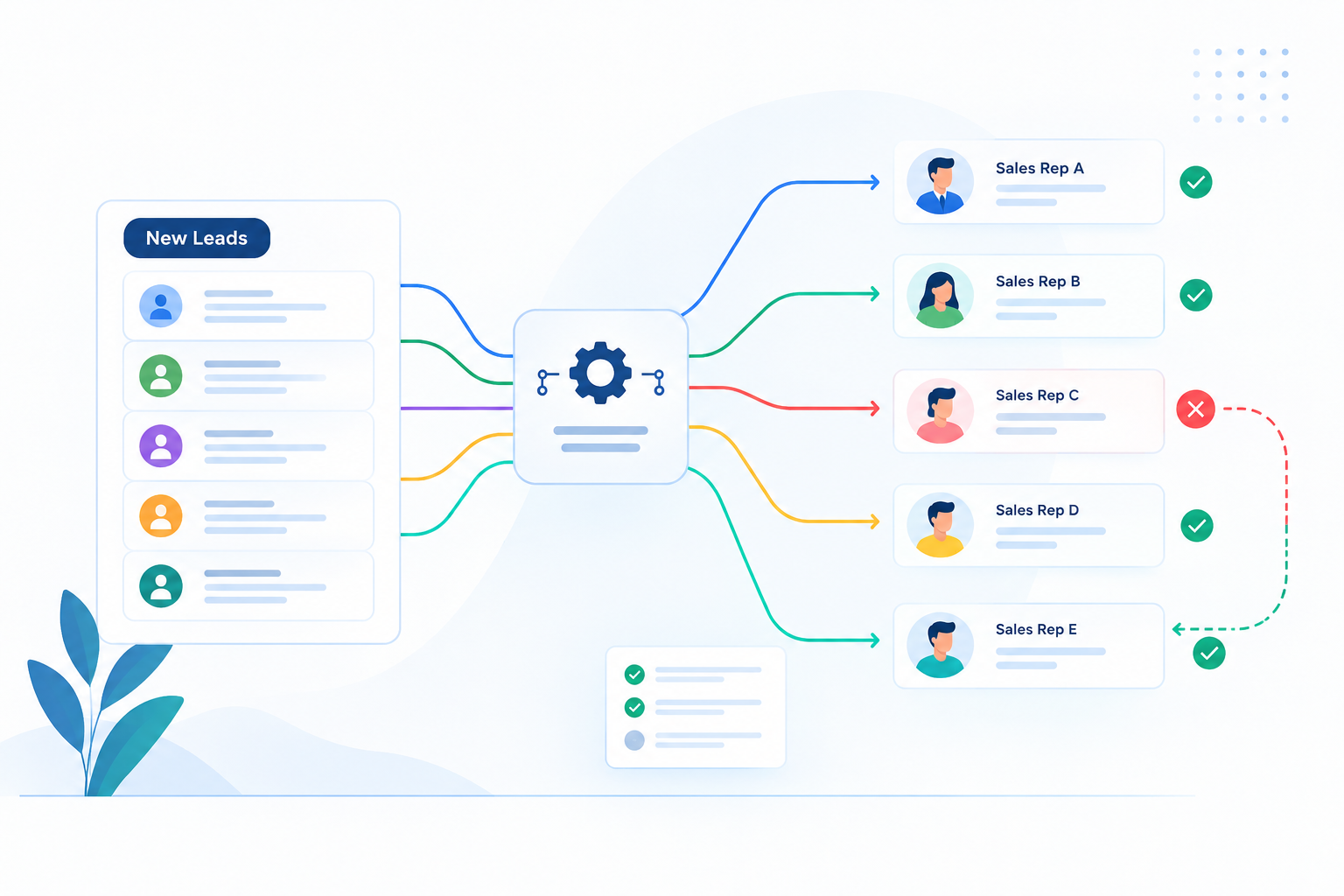
How Poor Lead Routing Affects Sales Performance
Poor routing creates more than an ownership problem. It introduces friction into the sales process.
First, response time can increase. A lead that requires manual reassignment may spend hours in an unowned queue.
Second, sales reps lose trust in CRM automation. Once reps expect to find incorrect assignments, they start checking records manually, creating work that the system was supposed to eliminate.
Third, reporting becomes harder to interpret. If ownership changes frequently or routing is inconsistent, team-level pipeline and conversion reports may not reflect the actual sales motion.
Finally, bad routing can hide process problems. A large number of reassigned leads may look like a rep-performance issue when the real problem is that the CRM is applying the wrong assignment rules.
How to Build a Reliable HubSpot Lead Routing System
Start with the operating model rather than the workflow editor.
1. Define routing inputs.
Identify the properties that genuinely determine ownership: territory, segment, product, industry, source, account status, or other business criteria.
2. Establish rule priority
Decide which rule wins when a record matches several conditions. For example, existing account ownership may take priority over territory.
3. Separate eligibility from assignment.
First determine whether a lead is ready to route. Then determine where it should go.
4. Add fallback handling.
Send incomplete or ambiguous records to a defined queue instead of letting them disappear.
5. Protect existing ownership
Make reassignment an intentional event, not an accidental side effect of property updates.
6. Create visibility.
Build a report for unassigned records, recent owner changes, routing exceptions, and leads waiting for action.
7. Test before launch
Use representative records and edge cases. Validate both the expected owner and the reason for that assignment.
The goal is not to create the most complicated workflow. It is to create a routing system that sales and RevOps can explain, trust, and maintain.
Lead Routing Rules to Review Before Going Live
Before activating a new HubSpot lead routing system, review:
- Required routing properties and their data quality
- Territory and segment definitions
- Existing customer and account ownership rules
- Round-robin eligibility and capacity
- Workflow enrollment and re-enrollment settings
- Exclusions and suppression criteria
- Fallback queues
- Duplicate and imported-record behavior
- Integration-created records
- Owner notifications and follow-up tasks
- Reporting for unassigned and reassigned leads
- Testing scenarios and approval owners
A good test should not only ask, “Did the workflow run?” It should ask, “Did the right lead reach the right person for the right reason?”