- Share
-

-

TL;DR
A Salesforce-to-HubSpot migration should not aim to create a one-for-one copy of Salesforce.
Salesforce and HubSpot organize data, automation, permissions and user experiences differently. Reproducing every Salesforce object, field, workflow and report inside HubSpot can create an expensive portal that remains difficult to use.
For a fintech company, the risk is greater. Years of product variations, regional processes, approval rules, integrations and compliance requirements may already be embedded in the Salesforce environment.
The right migration objective is to preserve valuable business history and behavior without forcing HubSpot to imitate Salesforce.
This requires deliberate decisions about custom objects, activities, workflow dependencies, permissions, integrations, reports and cutover. The goal is not Salesforce rebuilt in HubSpot. It is a HubSpot environment designed to perform the required work more clearly.
At a glance
|
Salesforce component |
The migration decision to make |
|
Custom objects |
Does the information need a dedicated object in HubSpot? |
|
Fields |
Is the field used, trusted and required for a future process? |
|
Flows and automation |
What business outcome does the automation support? |
|
Activity history |
Which historical interactions will remain useful to users? |
|
Profiles and permission sets |
What access does each HubSpot user actually require? |
|
Reports and dashboards |
Which leadership decisions must the reporting support? |
|
Integrations |
Should the connection be rebuilt, replaced or temporarily retained? |
A perfect Salesforce replica can be a failed HubSpot migration
A migration team may consider a one-for-one rebuild the safest approach.
Every Salesforce field gets a matching HubSpot property. Every custom object receives an equivalent structure. Every flow becomes a workflow. Every report is recreated. Every historical activity is transferred.
Nothing appears to be left behind.
This approach reduces the number of early business decisions, but it creates a different form of risk.
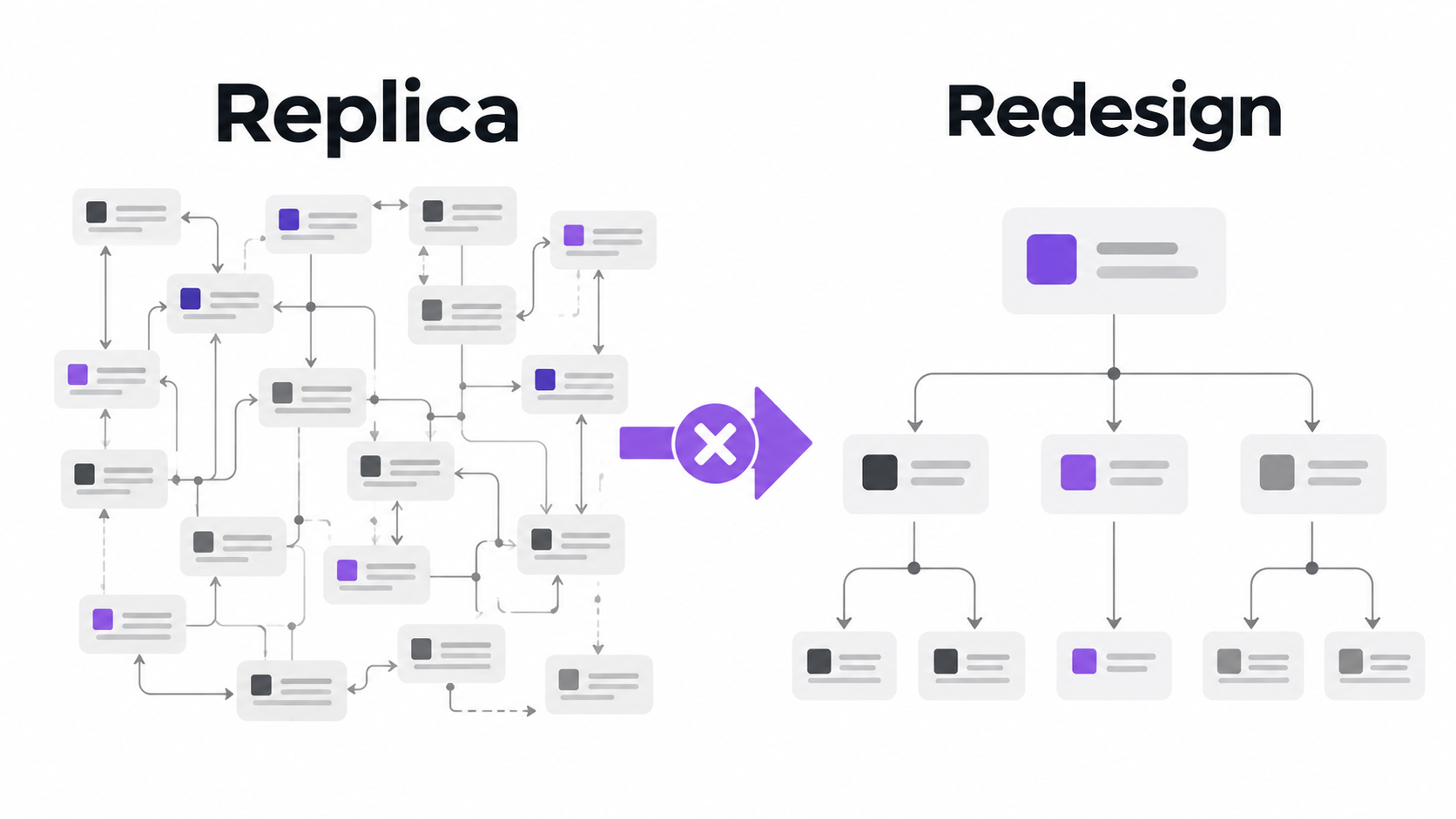
Salesforce may have been customized over many years. Some of that customization supports essential business requirements. Some exists because of earlier platform decisions, temporary initiatives, acquisitions, product changes or workarounds that became permanent.
When all of it is reproduced in HubSpot, the company brings those decisions into its new CRM without asking whether they remain necessary.
The migration is complete, but users still face too many properties, unclear record structures, overlapping automation and reports that few people trust.
The company changes platforms without changing the experience.
Salesforce architecture is not a HubSpot specification
A Salesforce configuration explains how the company currently uses Salesforce. It should not automatically become the specification for HubSpot.
The two platforms have different design patterns.
A structure that required several Salesforce objects may be handled differently in HubSpot. Logic distributed across flows, validation rules and Apex may not belong in one large HubSpot workflow. A Salesforce report built to compensate for fragmented data may no longer be required if the underlying HubSpot data model is designed differently.
This is why object-to-object and feature-to-feature mapping is not enough.
For every Salesforce component, the migration team must first understand its business purpose.
Why was the component created? Which teams still use it? What breaks if it is removed? Does it support a current process or preserve an old decision? Can the same outcome be achieved more simply in HubSpot?
Without these answers, technical mapping becomes accidental solution design.
Start with dependencies, not fields
A Salesforce field may look unused until the migration team discovers that it controls a flow, report, integration or approval process.
The visible field is only one part of the dependency.
For example, a fintech company may maintain an application-status field on an opportunity. That field could determine the record owner, control an integration update, place the opportunity in a report and trigger communication to another team.
Moving the value without tracing these dependencies creates a misleading sense of completeness.
The record arrives in HubSpot with the correct status, but none of the expected business behavior follows.
OneMetric traces the dependency chain before deciding how a Salesforce component should be represented in HubSpot:
Business purpose → Data input → Decision logic → System action → Team action → Reporting outcome
This chain shows whether the component is operationally important or merely present.
It also helps the migration team identify logic that has been split across Salesforce, spreadsheets and connected applications.
Custom objects should earn their place in HubSpot
Custom objects are one of the most important design decisions in a Salesforce-to-HubSpot migration.
A fintech Salesforce environment may contain separate objects for applications, financial products, policies, accounts, transactions, partners, brokers, merchants or facilities.
Some of those objects may need equivalents in HubSpot. Others may not.
Creating a custom object because one exists in Salesforce can add unnecessary navigation, associations, automation and reporting complexity.
Before recreating an object, the migration team should examine three things.
First, does the record represent a distinct business entity with its own lifecycle?
Second, do users need to see and act on multiple instances of that entity?
Third, will maintaining the object in HubSpot improve a real process, report or integration?
If the answer is unclear, the proposed object requires further examination.
The goal is not to minimize custom objects at all costs. It is to ensure that every object has a clear operational role.
Do not migrate activity history by volume alone
Fintech companies can have years of emails, notes, calls, meetings, tasks and system-generated activity inside Salesforce.
Transferring all of it may appear to offer the safest historical record.
But activity volume and activity value are different.
A sales representative may benefit from recent conversations, key notes and unresolved commitments. They are less likely to benefit from repetitive system activities or years of low-value history that makes the record difficult to navigate.
The migration scope should distinguish between information needed for daily work, information required for historical reference and information that must be retained outside the active CRM.
This decision should also consider how different activity types will appear in HubSpot.
An activity is useful only when users can find it, understand it and connect it to the correct contact, company or opportunity.
A high activity count is not evidence of a successful migration.
Workflow inventories hide the real complexity
Counting Salesforce flows, workflow rules and automation components provides an estimate of volume. It does not explain how difficult the logic will be to rebuild.
Several automations may contribute to one business outcome. One flow may update a field, another may assign ownership and a third may send information to an external platform.
Rebuilding each component separately can reproduce the technical arrangement without preserving the complete outcome.
Instead, OneMetric groups automation by business behavior.
For example, all automation involved in qualifying and routing a fintech application should be examined together. This allows the team to see the entry condition, decision points, exceptions, owners and final result as one connected behavior.
The HubSpot design can then implement that behavior using the most appropriate combination of workflows, pipelines, properties, integrations and human approvals.
This is more reliable than translating individual Salesforce automations in isolation.
Permissions should be redesigned around HubSpot usage
Salesforce profiles, permission sets, role hierarchies and sharing rules can become deeply layered over time.
A direct recreation inside HubSpot may be impossible, unnecessary or undesirable.
The migration should instead begin with practical access scenarios.
What should a regional sales representative be able to view and edit? Which information should onboarding receive after a commercial handoff? Which properties should be limited to administrators or selected operational teams? Can managers view records outside their immediate ownership structure? Who can change pipeline stages, reports or automation?
These questions translate legacy access into current responsibilities.
For a fintech company, permission testing should use real scenarios rather than generic user categories. A test user should attempt the actions expected in their role and confirm that restricted actions remain unavailable.
The objective is not to prove that the permission names were recreated. It is to prove that appropriate users can perform their work without receiving unnecessary access.
Reporting continuity does not mean copying every dashboard
Leadership may expect the same reports immediately after migration.
That expectation is understandable. The business cannot lose visibility during a platform change.
However, recreating every Salesforce report before reviewing its purpose can consume significant effort and preserve conflicting definitions.
The migration team should identify which reports support active operating decisions, financial reviews, pipeline management and team accountability.
Each priority report should then be connected to a defined audience and decision.
|
Reporting question |
What must be agreed before rebuilding |
|
How much qualified pipeline exists? |
Qualification and pipeline definitions |
|
Where are applications slowing down? |
Stage entry, exit and ageing rules |
|
Which region owns the opportunity? |
Territory and ownership logic |
|
How well does marketing influence revenue? |
Source, campaign and attribution definitions |
|
Which customers are ready for expansion? |
Product activity and qualification thresholds |
|
Where are handoffs failing? |
Accepted handoff points and responsible teams |
This prevents HubSpot from becoming another place where teams debate the meaning of the numbers.
It also allows the new reporting environment to be smaller, clearer and more useful than the one it replaces.
A test load should answer business questions
The first migration load should not be treated as a smaller rehearsal of the final import.
It should be used to challenge the mapping and uncover assumptions.
A useful test sample contains records that represent real complexity: multiple products, incomplete information, long activity histories, duplicate identities, regional ownership, reopened opportunities and unusual associations.
After the test load, business users should inspect the records inside HubSpot.
Can they understand the customer’s history? Are contacts associated with the correct companies and opportunities? Are users seeing information in the right place? Do reports categorize the records correctly? Can automation act on the migrated values?
Reconciliation is still required. Record counts, associations and important values must match the approved scope.
But numeric reconciliation alone cannot confirm that the migrated records are operationally useful.
Migration and coexistence are different architecture choices
Not every company moving work into HubSpot should immediately remove Salesforce.
A fintech may decide to adopt HubSpot for marketing, sales or customer engagement while Salesforce continues to support another business unit, partner process or established CRM function.
In that situation, the challenge is not full replacement. It is controlled coexistence.
The company must decide which records belong in both platforms, which platform owns each shared value and what event should move information or responsibility between them.
This architecture should be intentional and time-bound.
If coexistence is temporary, the migration roadmap should explain what must happen before Salesforce can be retired. If it is permanent, the operating model must include long-term ownership, monitoring and maintenance.
Keeping both platforms without defining the relationship creates duplicated records, conflicting updates and uncertainty for users.
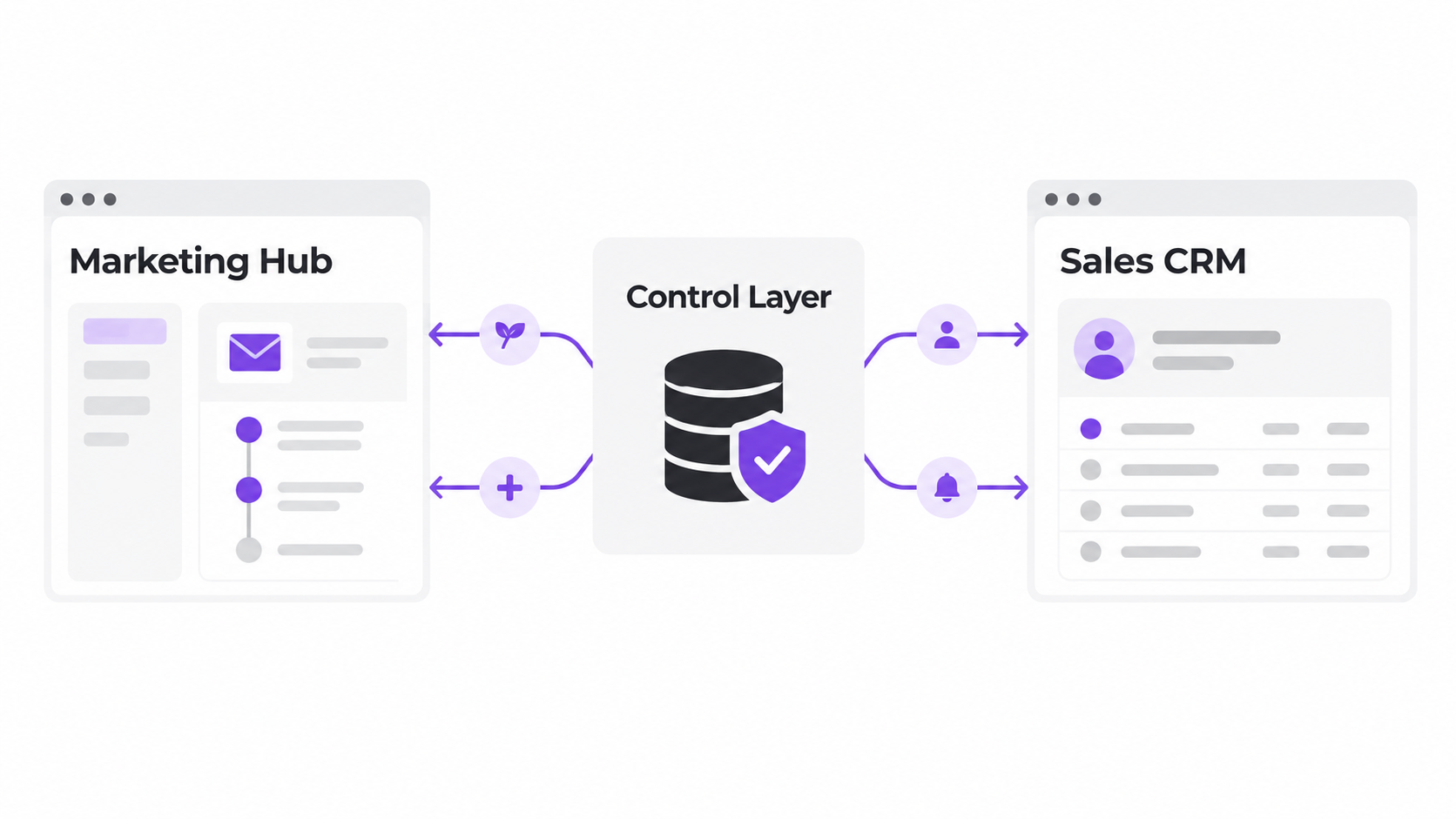
What a working coexistence model looks like
FMG, a US-based financial marketing advisory company, wanted to move its marketing automation from Pardot to HubSpot while continuing to use Salesforce as its CRM.
This required more than a general synchronization.
FMG needed different movements for different lead scenarios. Contacts marked as needing nurture or cold in Salesforce had to enter the appropriate HubSpot journeys. Once engagement and lead-scoring conditions were met, the relevant contacts needed to return to Salesforce for SDR or AE action.
Net-new leads generated through HubSpot-supported marketing activity also needed to be created and routed in Salesforce.
OneMetric first examined the desired technology environment and created an integration wireframe. The implementation then established the core record mapping, configured field-level synchronization behavior and introduced automated tasks for Salesforce owners when contacts reached agreed HubSpot lead-score thresholds.
The result was not two CRMs independently maintaining the same records.
HubSpot and Salesforce were given different responsibilities within one coordinated revenue process.
Not every Salesforce-to-HubSpot program requires immediate consolidation.

|
Cutover requires more than a final import
A Salesforce-to-HubSpot cutover affects data, users, automation, integrations and reporting at the same time.
The plan must account for what can change during the final migration window.
A Salesforce opportunity may progress after the last test load. A user may update a contact that has already been prepared for import. An integration may continue creating activities. A new record may enter the business during the transition.
The cutover plan should establish when changes will be restricted, how new or updated records will be identified and who will validate each critical dataset after the final load.
It should also explain what users will do if the migration window crosses an active business day.
For some companies, a short freeze is practical. Others need delta migration, phased transition or temporary coexistence.
The correct approach depends on the business’s tolerance for interruption, not only the technical convenience of the migration team.
OneMetric understands both sides of the move
A Salesforce-to-HubSpot migration requires a partner that can examine the source environment without assuming that everything inside it should survive.
OneMetric is a HubSpot Elite Solutions Partner with HubSpot Data Migration, CRM Implementation and Custom Integration accreditations. We also work across Salesforce environments, allowing our team to understand the logic being left behind as well as the HubSpot architecture being introduced.
This matters when technical components do not have simple equivalents.
The migration team must be able to identify the business outcome behind a Salesforce configuration, determine how HubSpot should support it and validate the result after implementation.
OneMetric does not measure completeness by how closely HubSpot resembles Salesforce.
We measure it by whether the required history is available, the processes work, users can perform their responsibilities and leadership retains confidence in the data.
|
Moving from Salesforce to HubSpot should reduce CRM complexity, not rename it. 
|
What executives should decide before approving the migration
Executives should not need to approve individual fields or workflow actions.
They should approve the boundaries of the migration.
Which business functions will HubSpot own after launch? Will Salesforce be retired, retained for selected teams or used during a transition period? Which historical information must remain available? Which reports cannot be interrupted? What level of business disruption is acceptable during cutover?
These decisions influence scope, timeline, testing and cost.
Without them, the migration team may optimize for technical completeness while different stakeholders hold conflicting expectations about the outcome.
A clear executive decision is particularly important when requests to “keep everything” begin to expand the migration.
Preserving information can be necessary. Rebuilding every legacy configuration is a separate choice.
The organization should understand the difference before approving the final scope.
Read also
OneMetric Is the Obvious HubSpot Migration Partner for Mid-Market and Enterprise Fintech